



 AlgoStocx Author
 Sep 24, 2024
To connect Upstox in AlgoStocx’s Copy Trading software, follow these steps:
1. Generate the API Key and Secret Key.
2. Add Upstox Account Details in AlgoStocx’s Copy Trading.
Open the Upstock website using the following link: https://login.upstox.com/
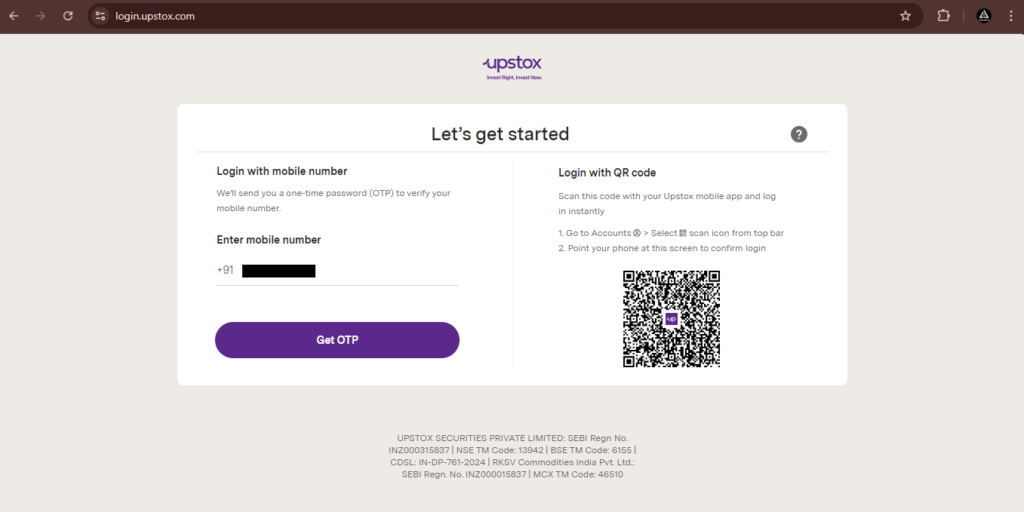
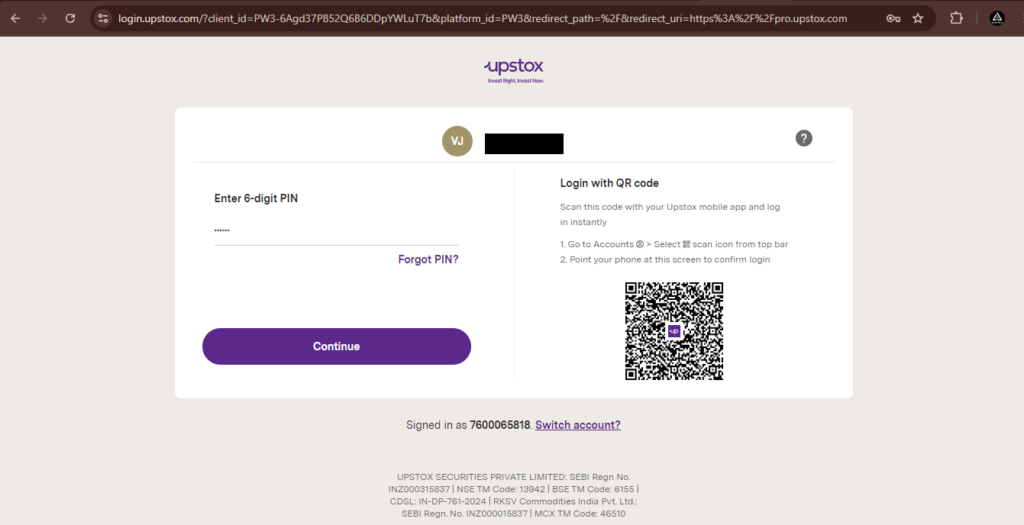
For getting an Upstox client ID:

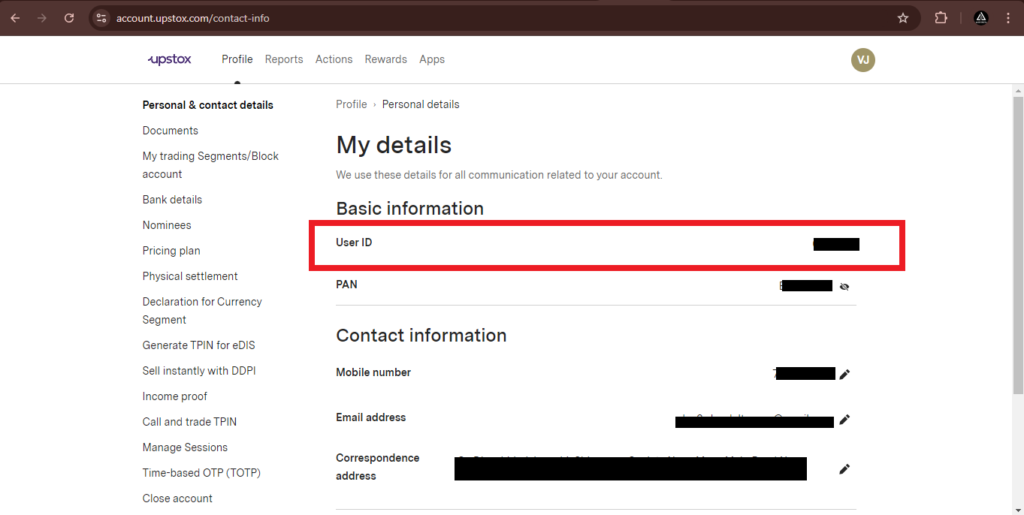
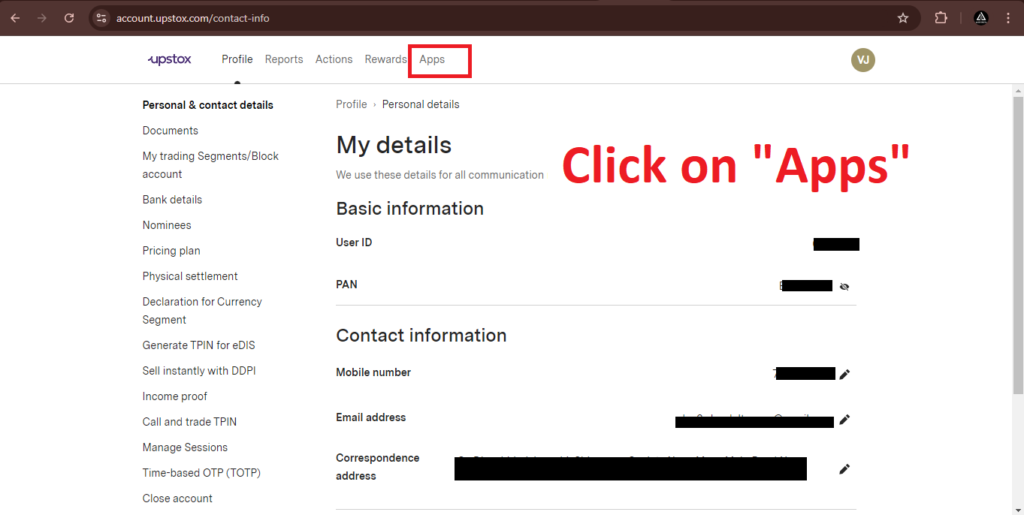
For creating an “API key” and “Secret Key”
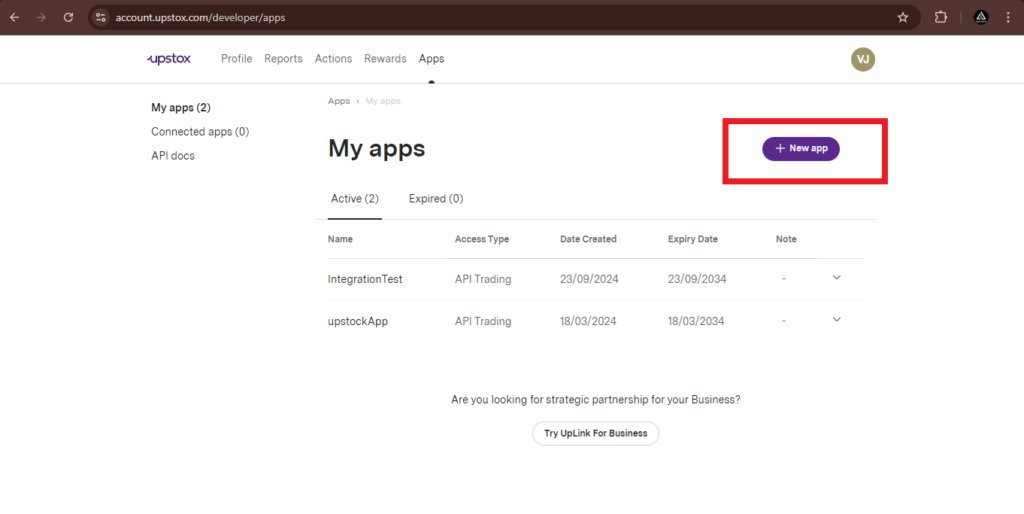
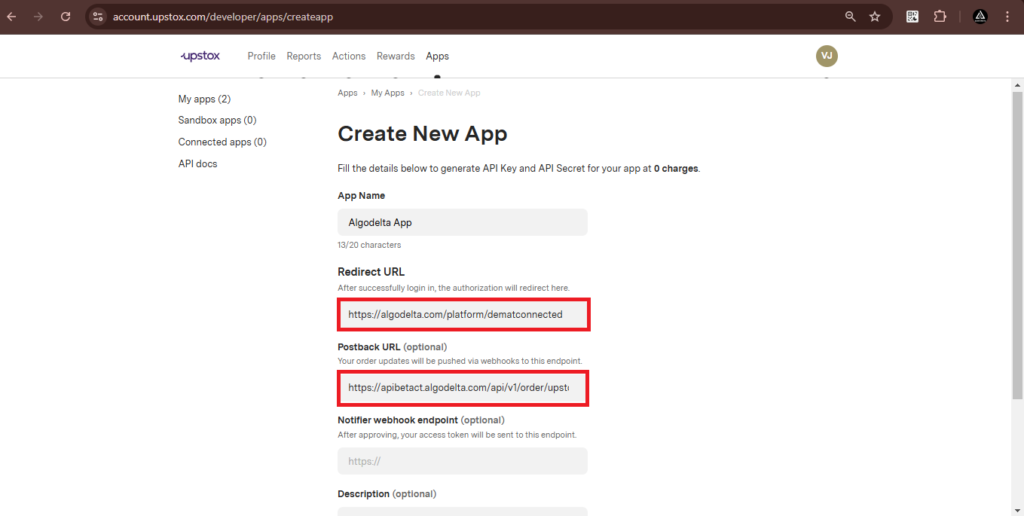
After successfully connecting, you will see this notification.

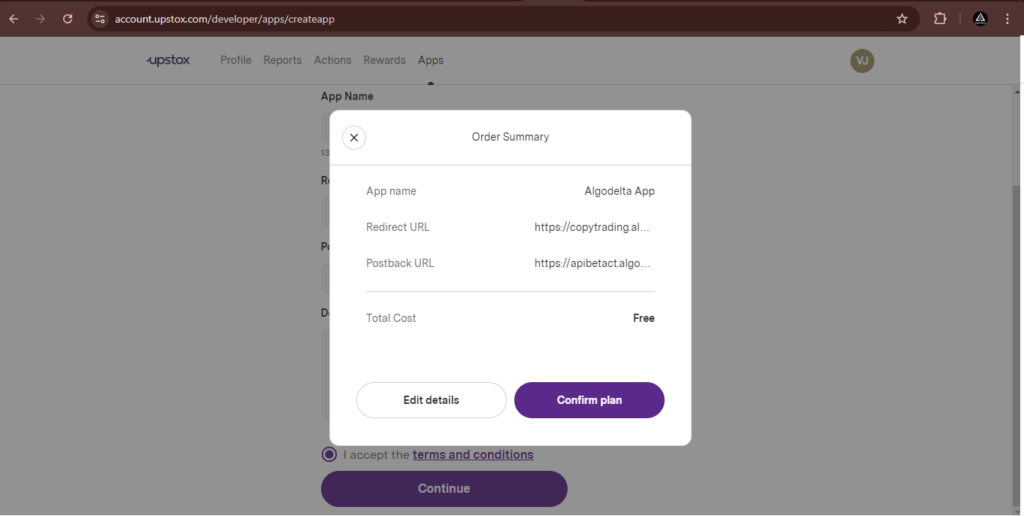
For getting an “API key” and “Secret Key” :
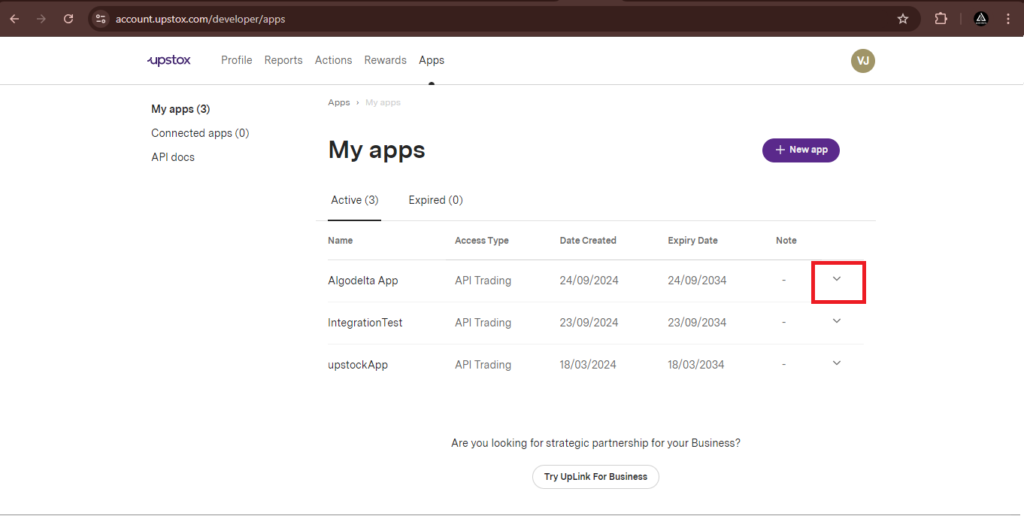
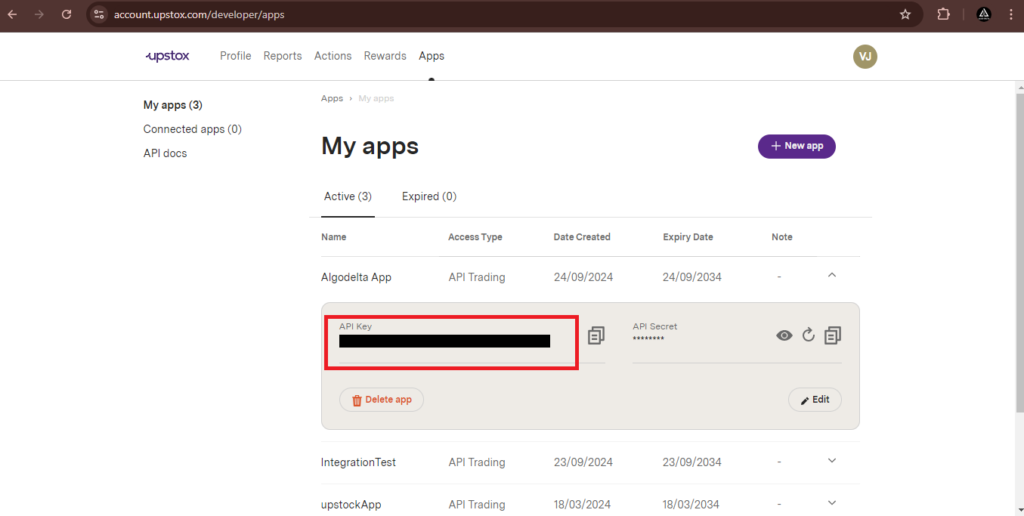
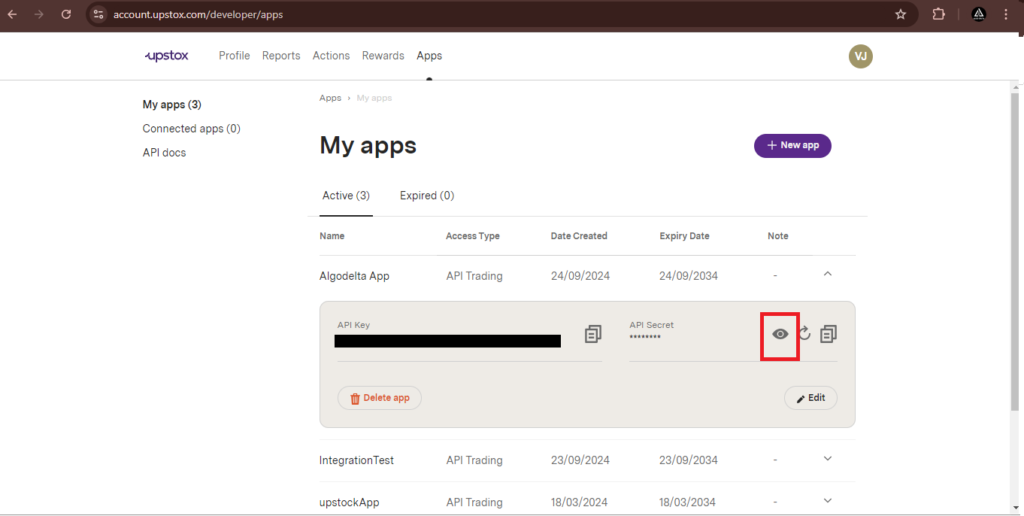
Now, go to AlgoStocx’s Copy Trading using the following link:
https://algostocx.com/platform/login. Enter your AlgoStocx email ID and password.

Step 6:
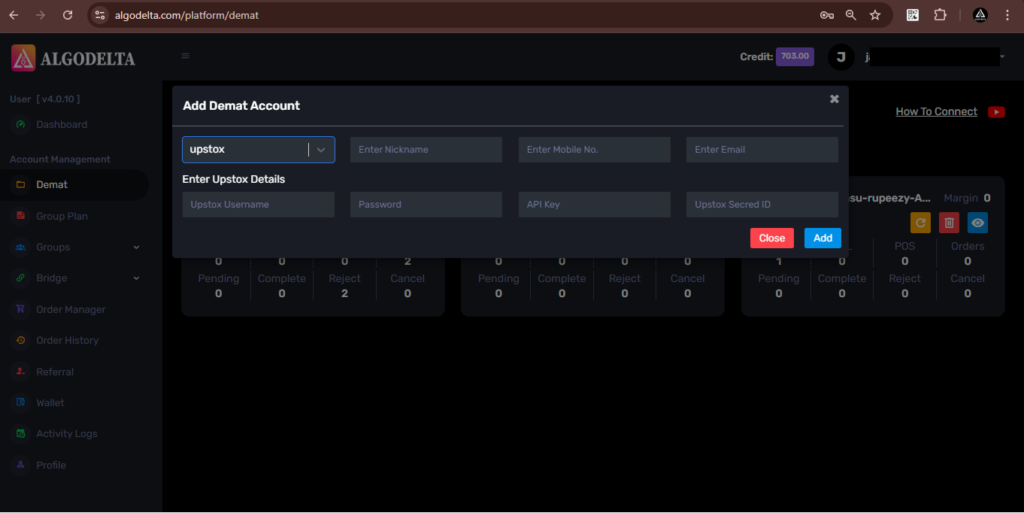
Go to the “Demat” tab and click on “Add Demat Account” Select Upstock as the broker and provide the following details: Nickname, Mobile Number, Email, Upstox client ID , Upstox api key (generated from the Upstox portal). Click on “Add.” You will see a “Broker Connected” pop-up.
 Copy Trading with Dhan