Broker Connection
How to create Kotak API
 AlgoStocx Author
 Nov 02, 2023
For creating API in Kotak securities, follow this steps:
Step 1:
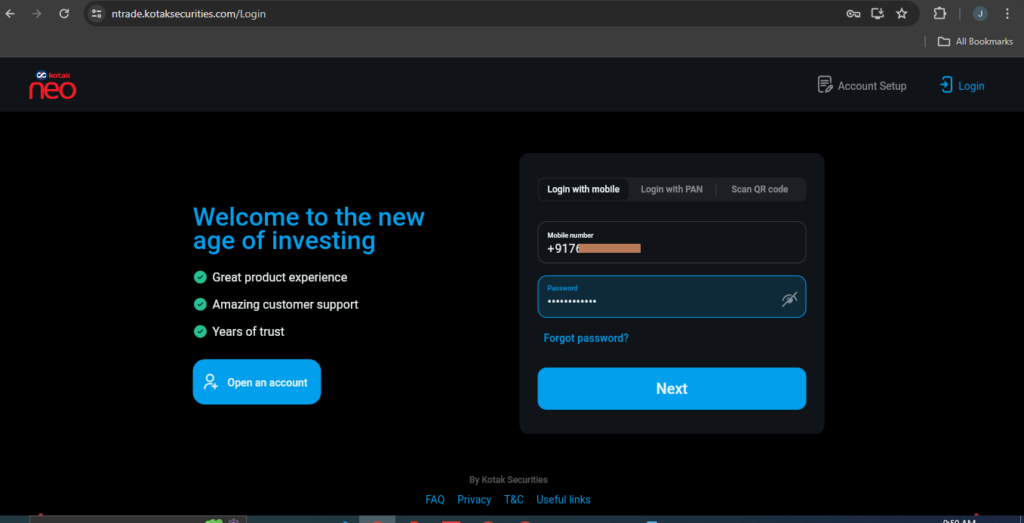
- Go to https://ntrade.kotaksecurities.com/ to log in.
- Enter Register Kotak neo ‘Mobile number’ and ‘Password’.
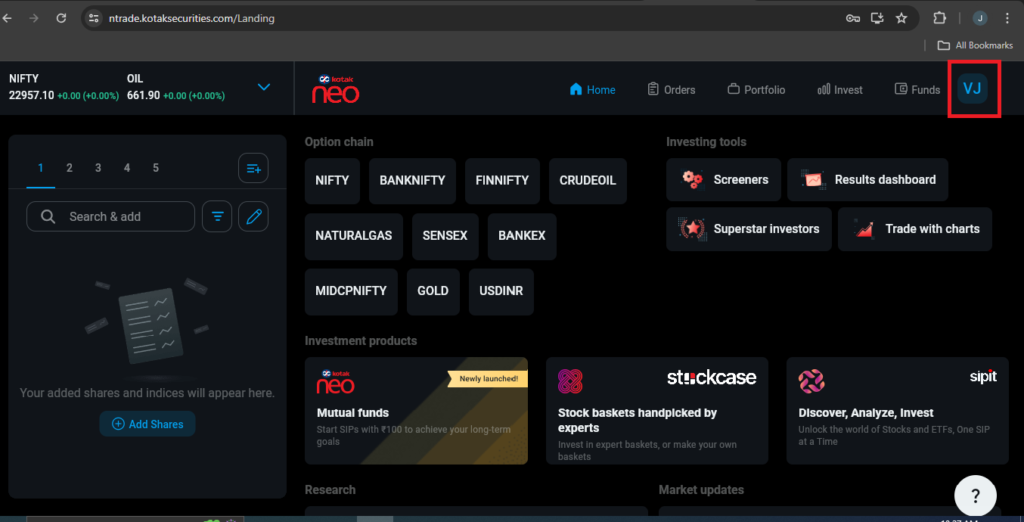
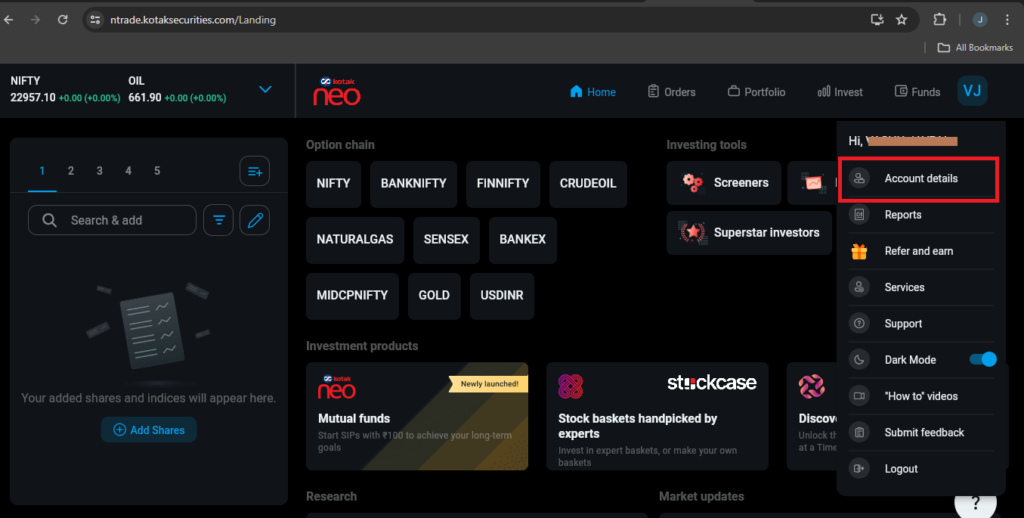
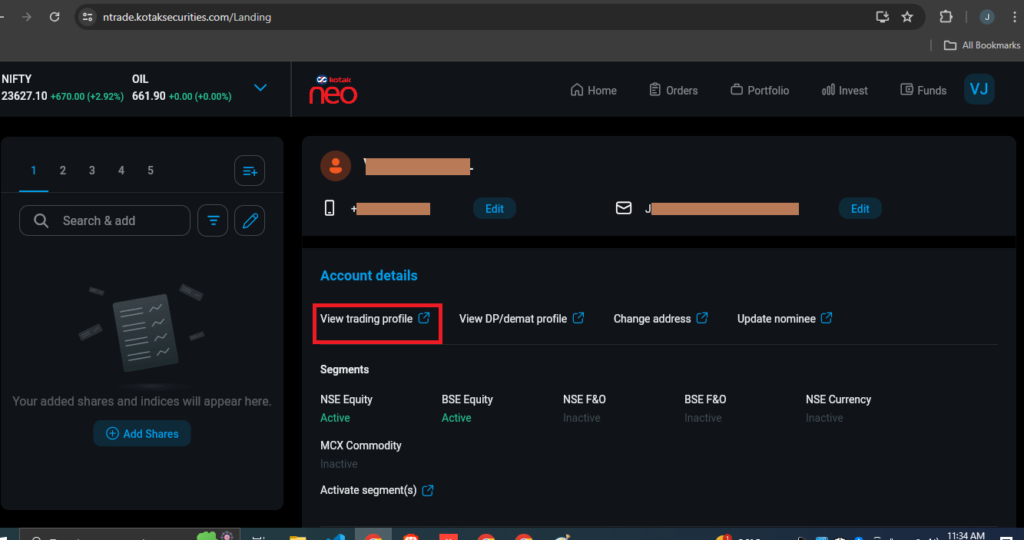
- After Successful login Click on top right corner button and then click on “Account details” button.
Step 2:
- Now click on “View trading profile”.
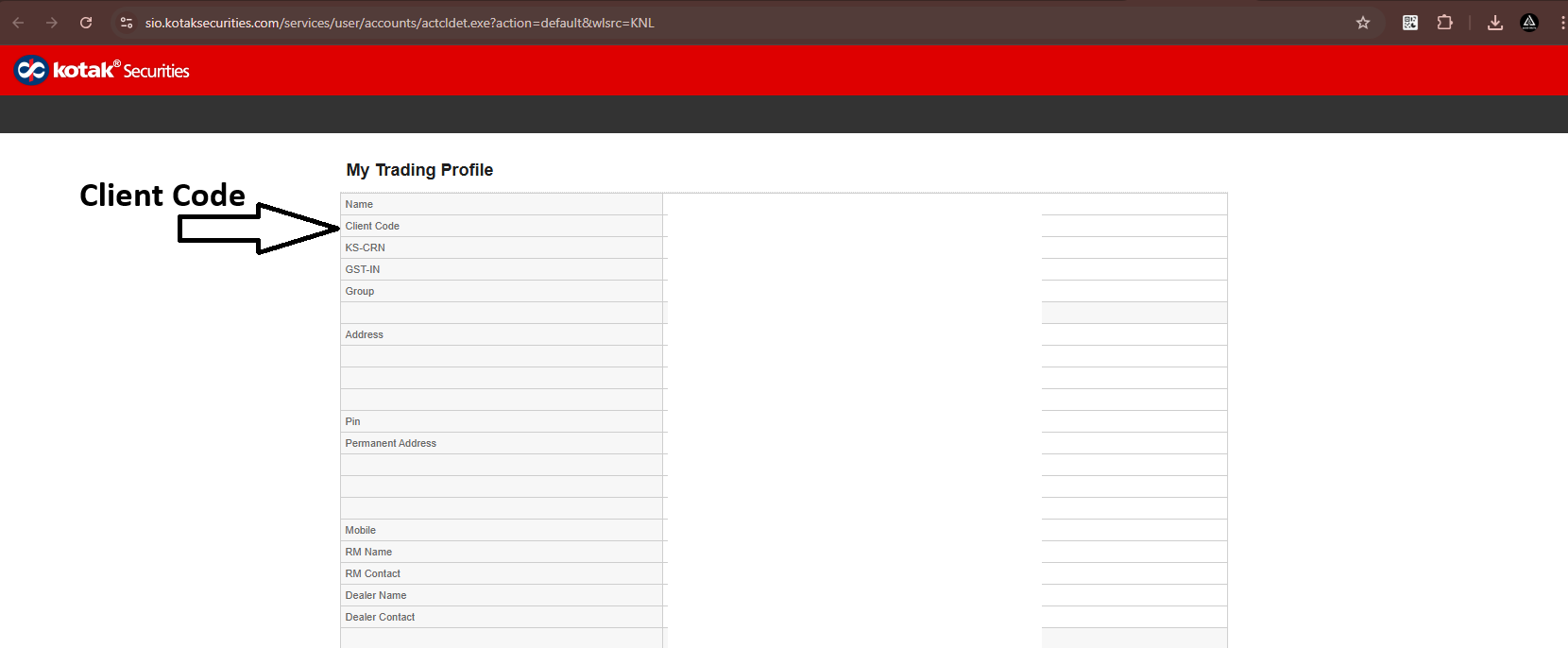
- You are now redirect to “My Trading Profile” page, now copy “Client Code”.
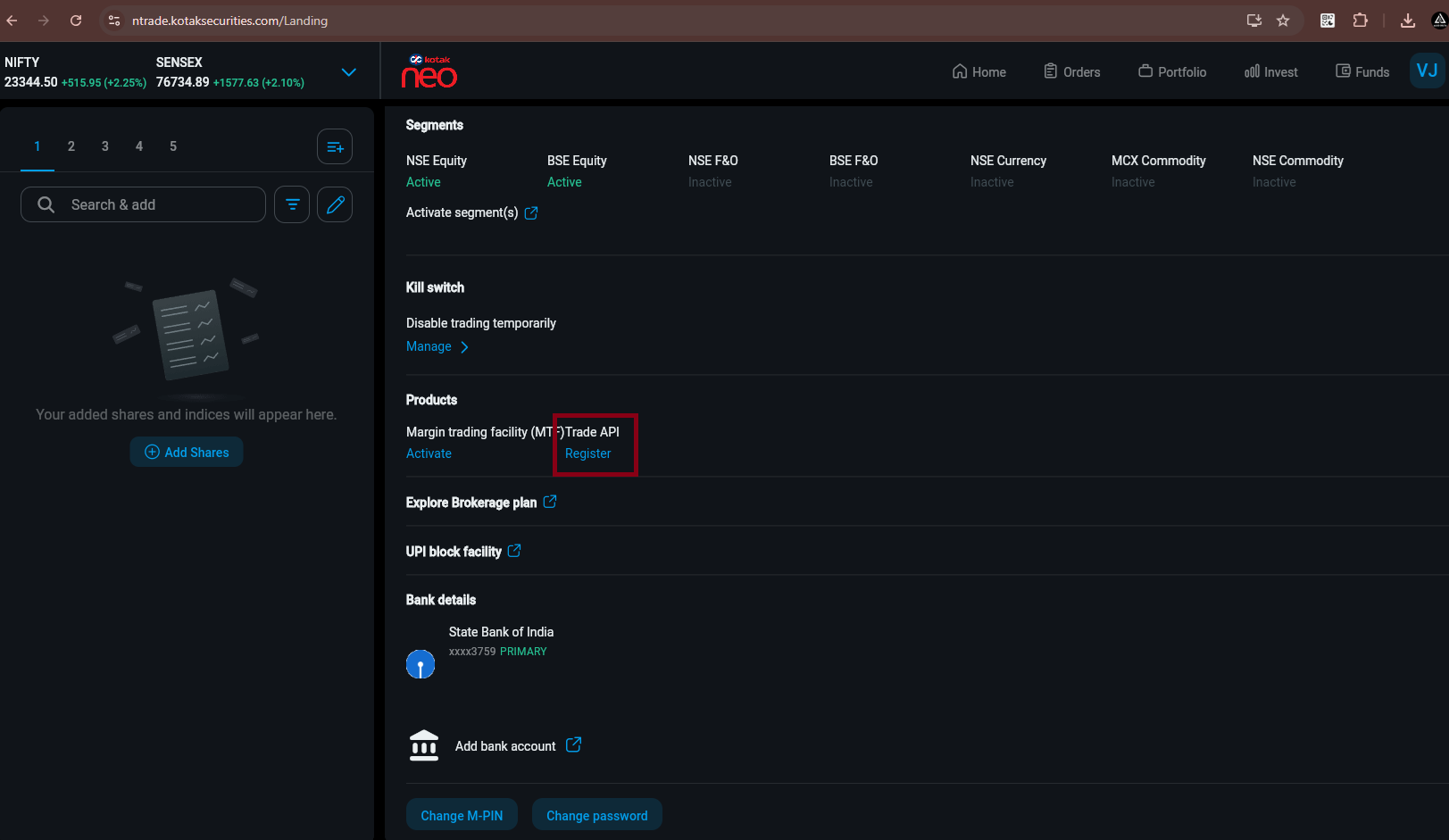
- And go back to https://ntrade.kotaksecurities.com/Landing.
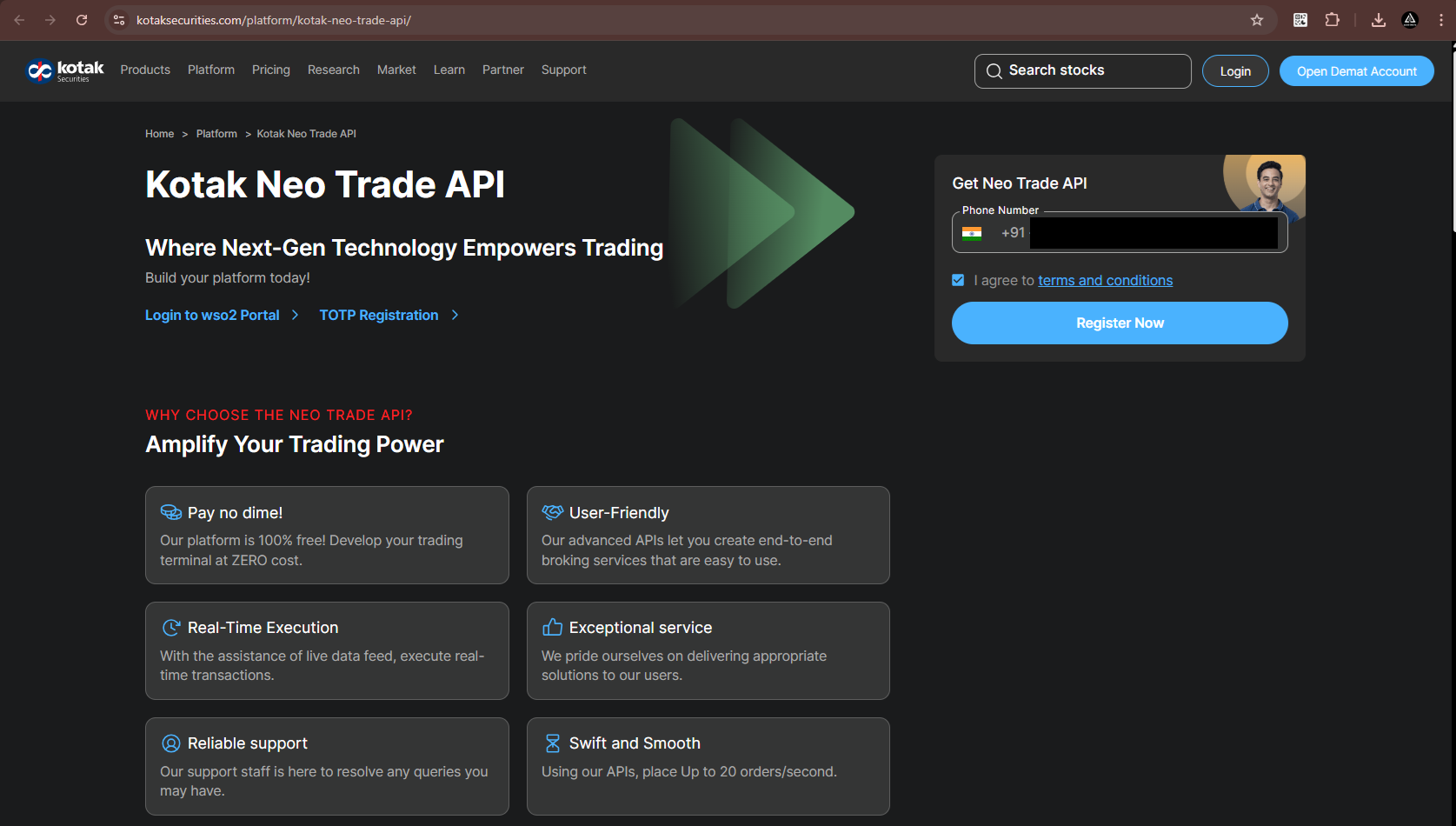
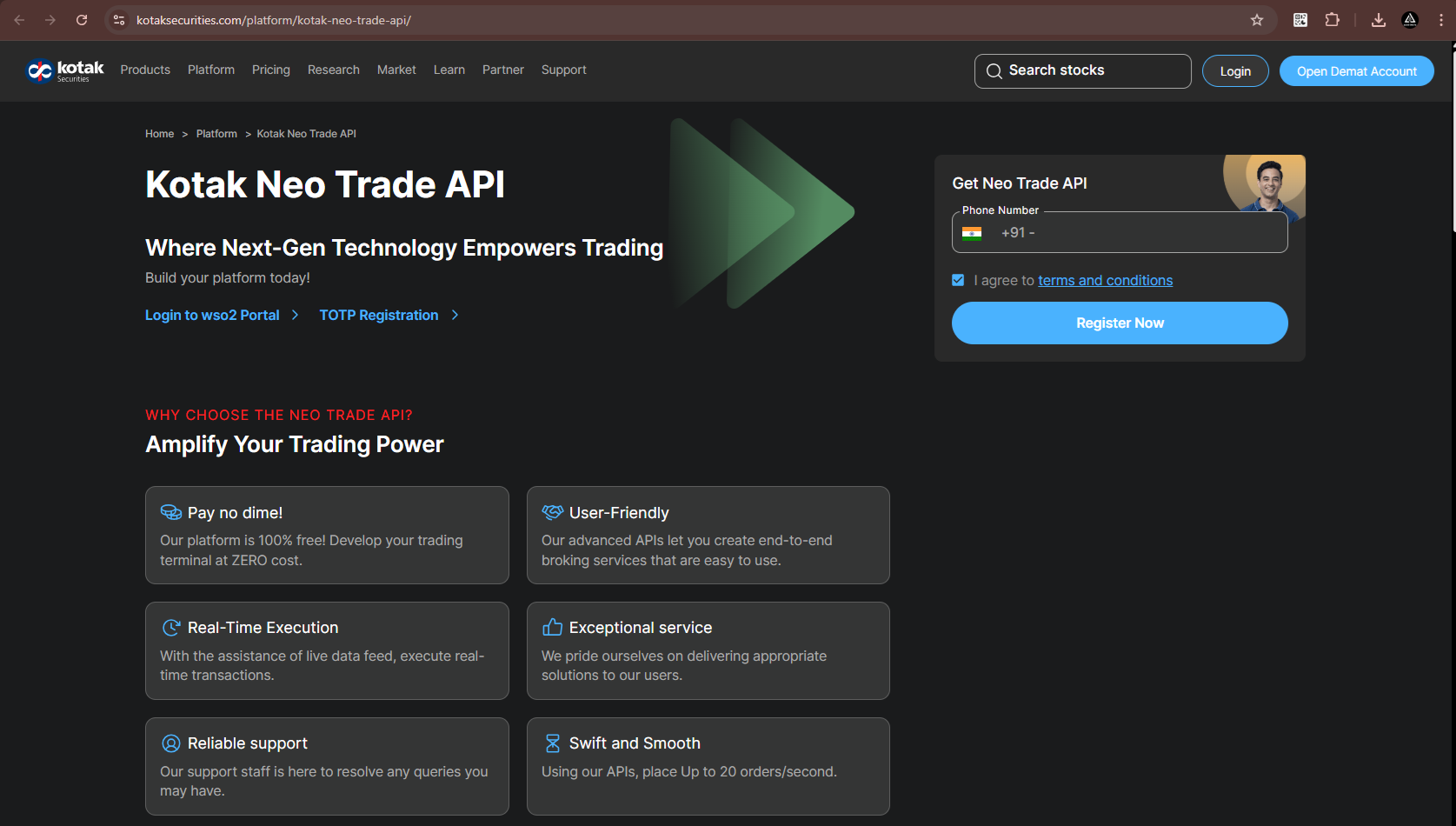
- Now click on “Trade API” , You will be redirected to this URL: https://www.kotaksecurities.com/platform/kotak-neo-trade-api/
Step 3:
- Enter your registered Kotak phone number and click on ‘I agree to terms and conditions’ to proceed.
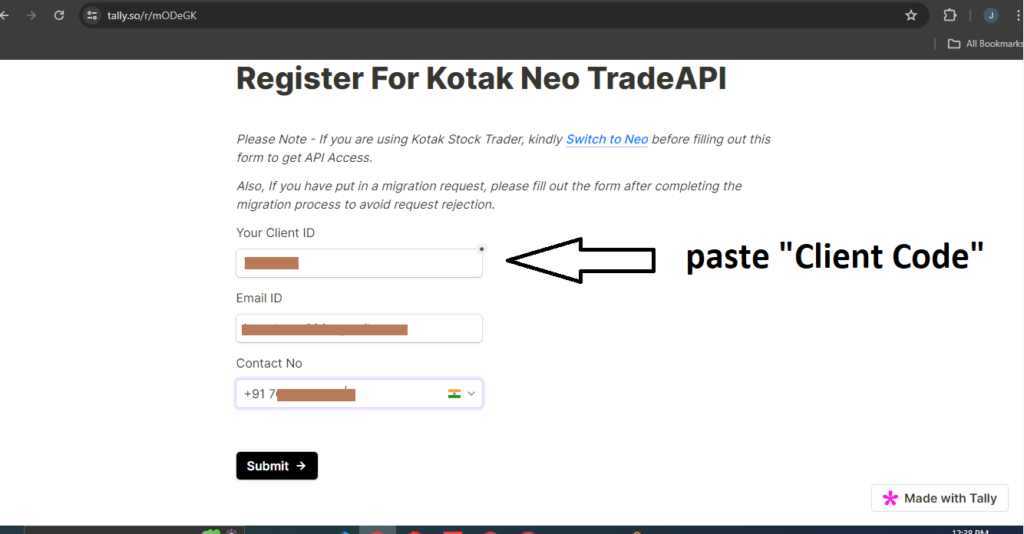
- Now enter ‘Client Code’ in ‘Your Client ID’ tab which are copy from ‘My Trading Profile’ Page and enter registered ‘Email ID’ and ‘Contact No’.
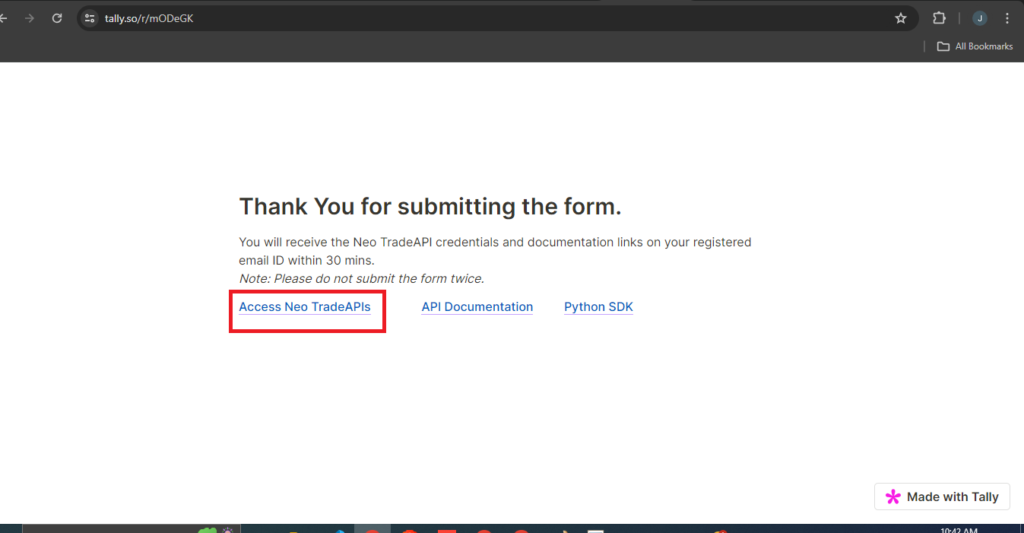
- After successfully registration, new page is open , click on ‘Access Neo TradeAPIs’.
- After few minutes API “Client ID” and API “Password” are get in registered Email ID.
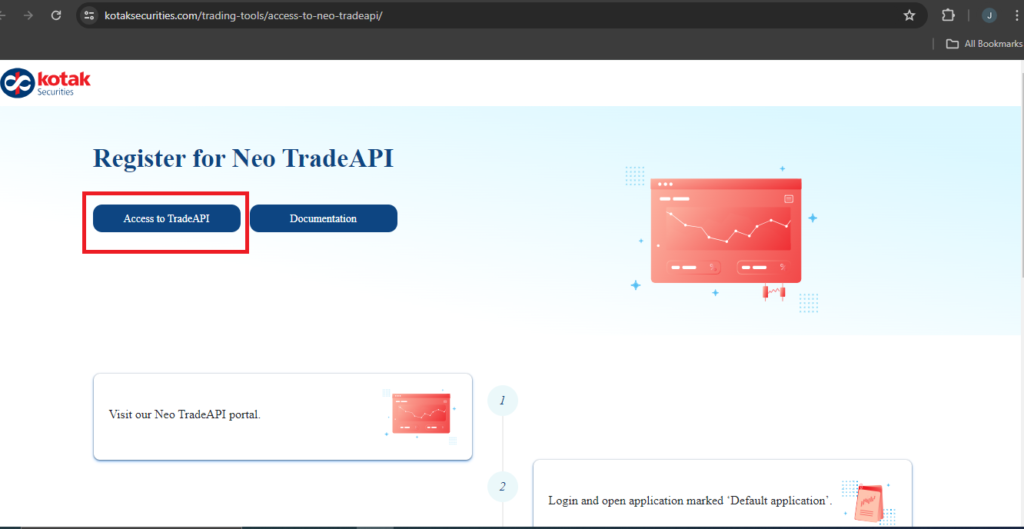
- For go on Api Page click on ‘Access to TradeAPI’.