


 AlgoStocx Author
 Aug 01, 2023
To seamlessly connect Fyers in AlgoStocx Copy Trading software, follow these simple steps:
1. Generate an API Key from Fyers’ myapi Portal.
2. Add your Fyers account details into Algostocx’s Copy Trading platform.
Step 1:
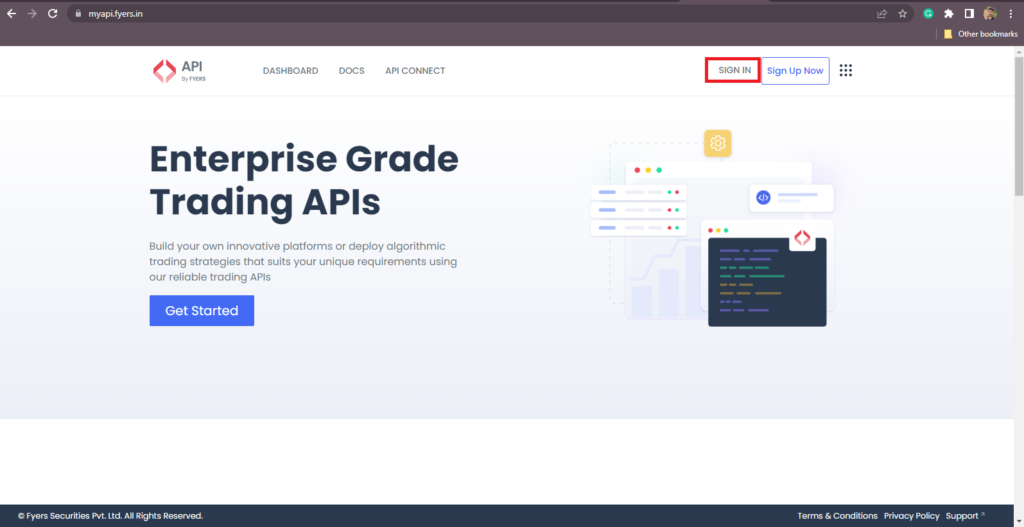
Open the myapi fyres website using the following link: https://myapi.fyers.in/
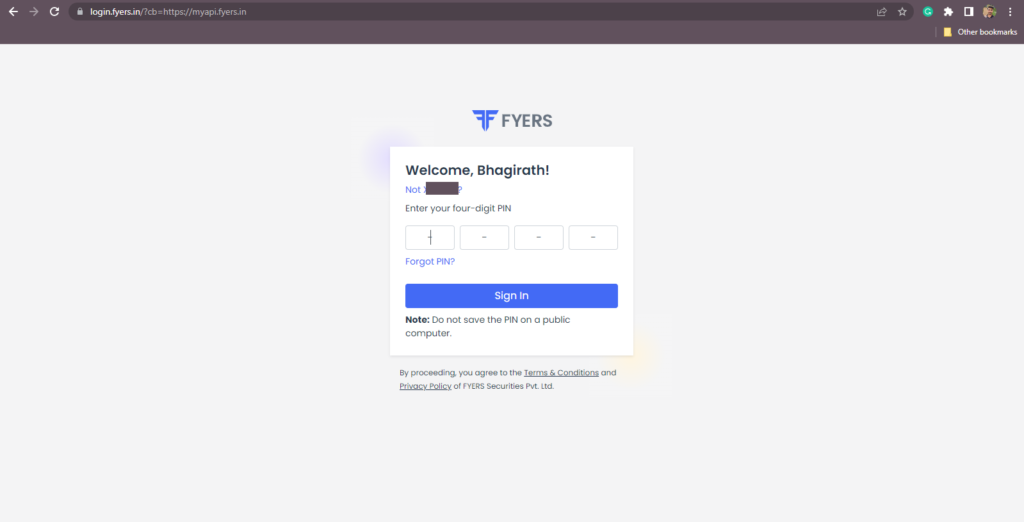
Enter Mobile No or Client ID, OTP and log in. Once you logged in Click on “DASHBOARD”.
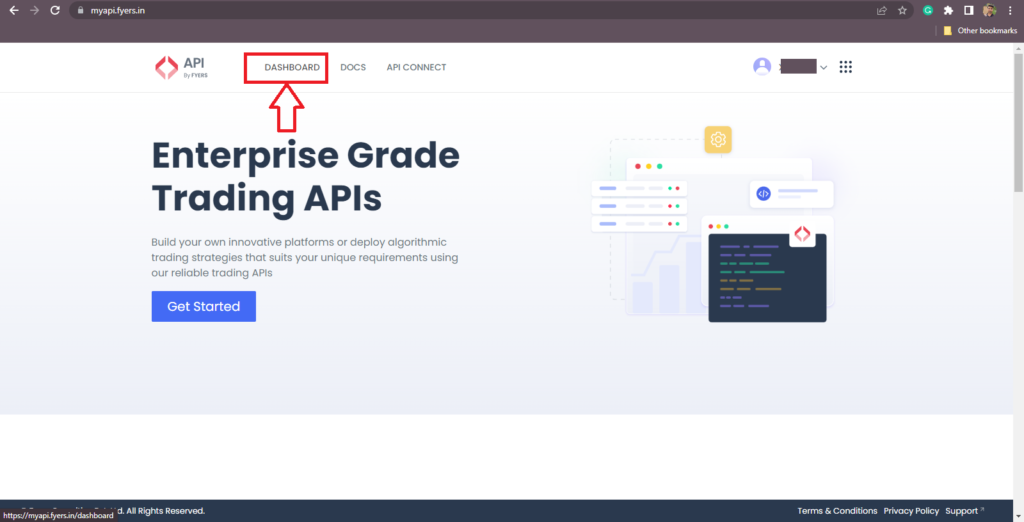
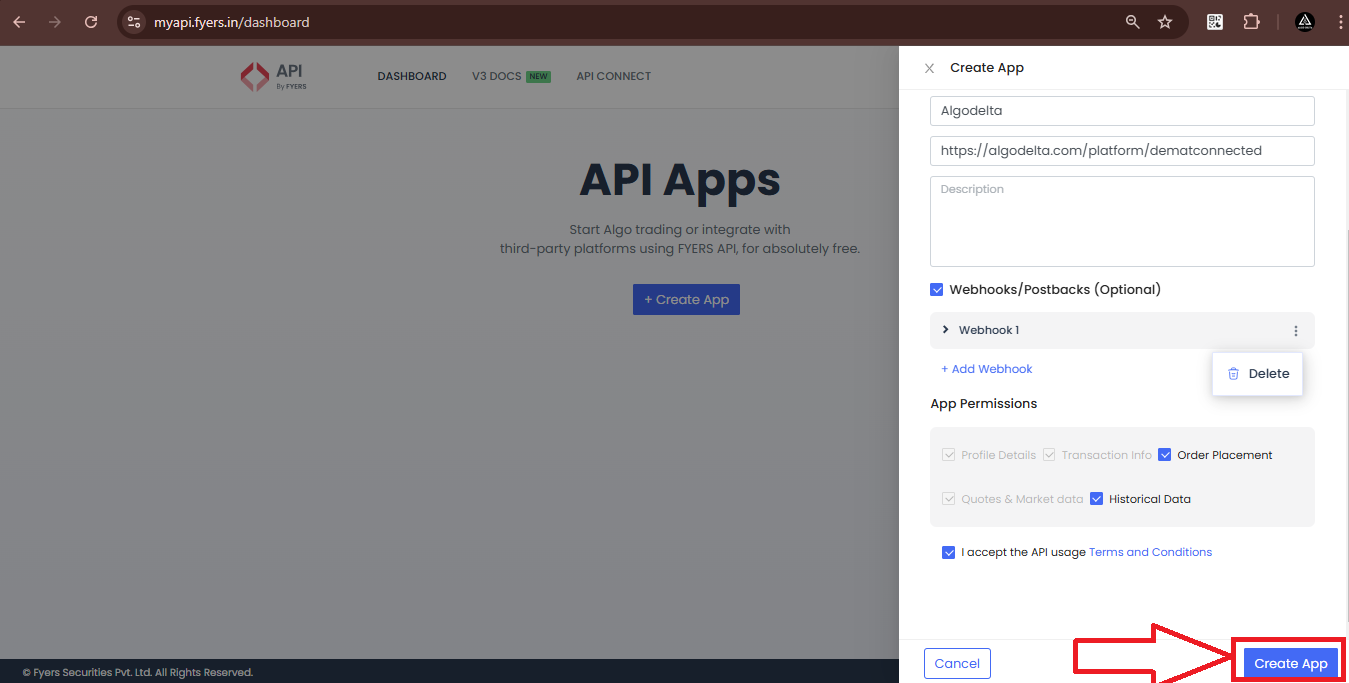
1. After Clicking on Dashboard Click on “Create App”.
2. Enter API name.
3. Enter URL this URL: https://algostocx.com/platform/dematconnected as shown in the screenshot.
4. Give App Permissions and check all boxes. check terms and conditions.
5. Click on Create App.
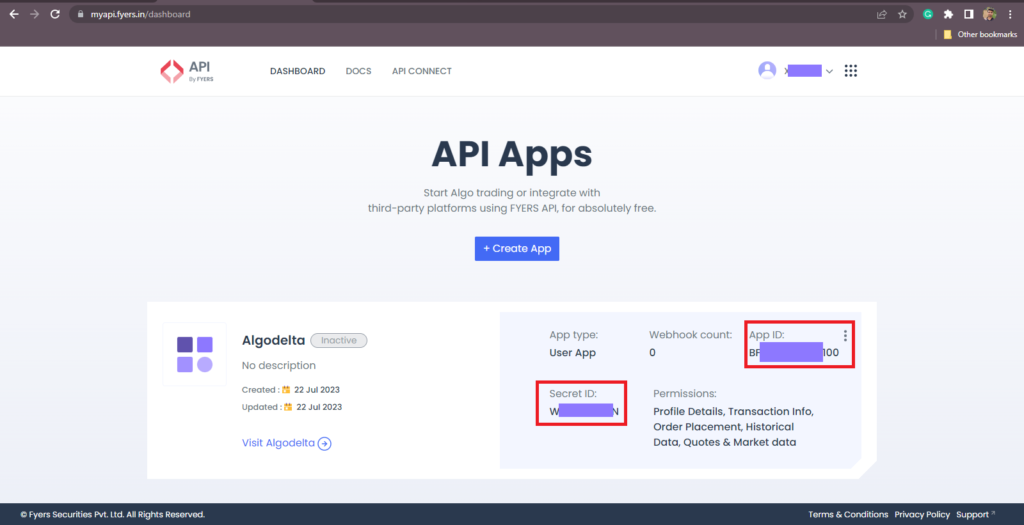
You will see the below screen.
Step 3:
Now, go to AlgoStocx’s Copy Trading using the following link:
https://algostocx.com/platform/login. Enter your AlgoStocx email ID and password.
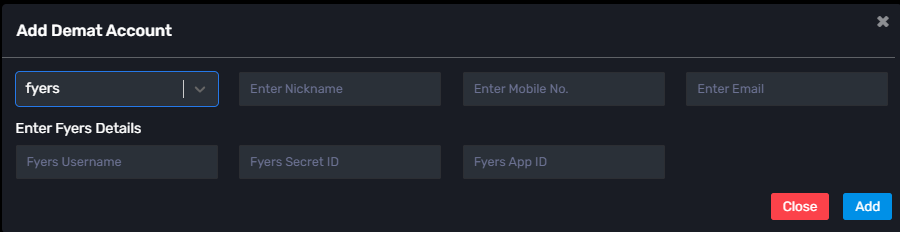
Go to the “Demat” tab and click on “Add Demat Account.” Select “fyres” as the broker and provide the following details: Nickname, Mobile No, Email, Fyres ID, App ID and Secret Key (generated from the fyres portal). Click on “Add.” You will see another tab for login into fyres.
By following these steps, you will successfully connect your Fyres account to AlgoStocx’s Copy Trading software and gain access to its features for enhanced trading experiences.
 Copy Trading With Zerodha